 Face2Name
Features
Arrivals, Dismissals, and Transitions
The core workflow in Face2Name is the transition — a record of one or more children moving between rooms:
- Morning arrival — a child moves from "outside" into their first room of the day.
- Room-to-room transition — a child moves from one room to another (e.g. classroom → playground).
- Dismissal — a child leaves for the day. The person picking them up is recorded by name (and linked to a staff account when applicable).
Transitions are created in a short guided flow: pick an origin, pick a destination, then select the children involved. The whole transition (plus a verification record for each child) is written to the database as a single all-or-nothing action, so there's never a partially-recorded transition.

A Daily Report (exportable as PDF) summarizes each child's arrival time, dismissal time, contact, and every room transition for a given day.
Roles and Permissions
Access is controlled by an additive, multi-role system. A staff member can hold several roles at once, and their permissions are the union of all of them:
| Role | What it can do |
|---|---|
| Org Admin | Full control of the organization; the only role that can invite users, assign/revoke roles, or delete users and organization data |
| Org Editor | Manage org settings, rooms, classes, and non-admin users |
| Child Editor | Create/update children details and photos |
| Teacher | Create and complete transitions; read and print transition reports |
| Consent Manager | Record and update parental photo consent |
| Observer | Read-only access to all operational data |
Consent Tracking
Each child has a consent record (for example, photo consent) with a recorded date and optional expiration date. Consent can be withdrawn at any time — withdrawing creates a new record rather than editing history, so past consent status is never lost. Staff with the right role get a heads-up before consent expires:
- An in-app notification appears when a child's consent is expiring within 30 days.
- A higher-priority alert appears once consent has expired.
Staff-to-Child Ratio Monitoring
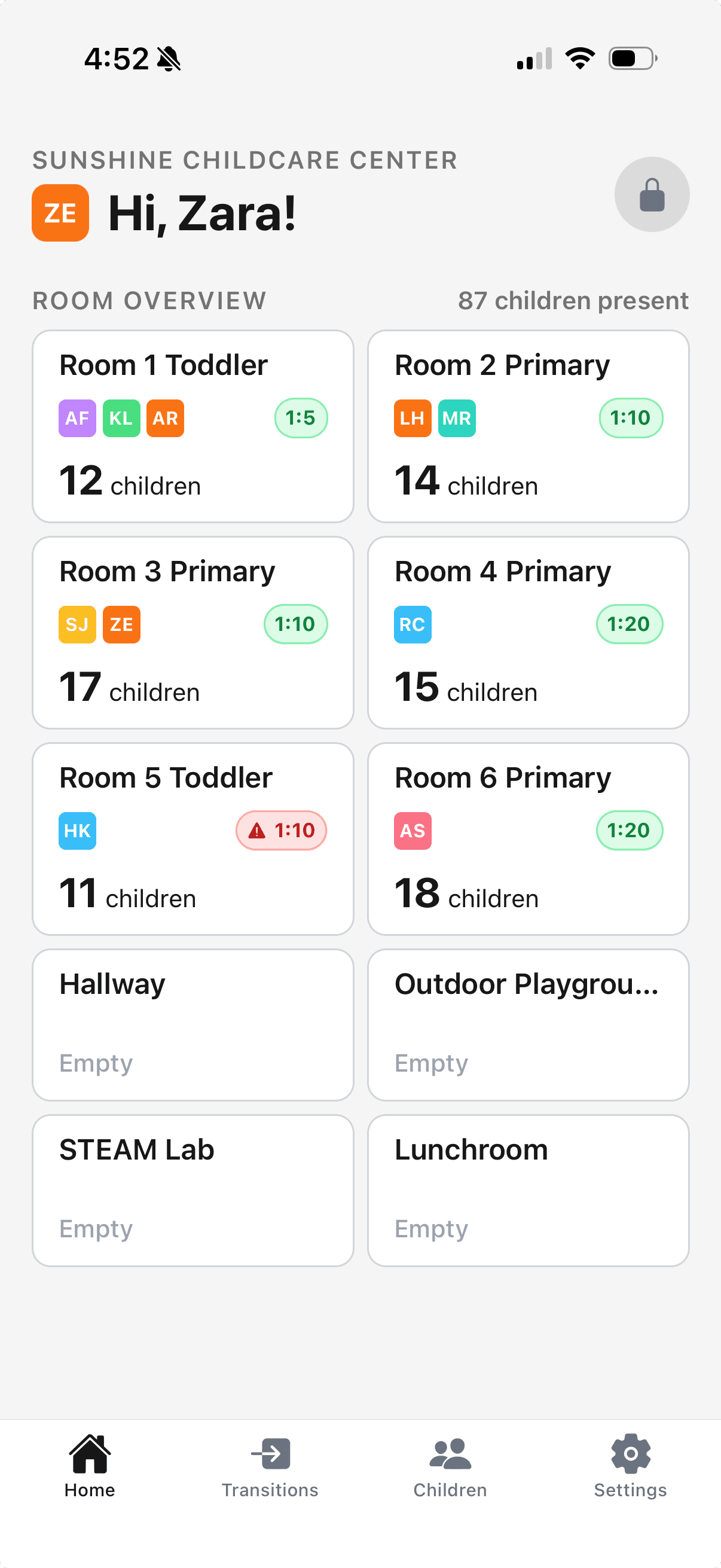
Each room shows a live ratio badge comparing the number of checked-in staff to children currently present, using configurable age-group ratios (NAEYC-style defaults out of the box, fully editable per organization). Rooms can also be pinned to a fixed ratio instead of scaling with the youngest child present. When a room falls out of ratio for longer than the configured grace period, it's flagged so staff can respond quickly.
AI Bulk Import
Instead of typing in every child, room, class, or teacher by hand, admins can capture photos of existing rosters or forms (up to 10 photos per batch) and let Face2Name extract the records automatically:
- Choose what you're importing — children, rooms, classes, or teachers.
- Take photos or pick them from your library.
- Review the extracted list — the app flags likely duplicates against your existing records — and edit anything that needs correcting.
- Confirm to commit everything in one batch.
Classroom Mode
For shared tablets used by staff in a classroom, Classroom Mode replaces email/password sign-in with a quick PIN login: a teacher picks their name from a list and enters a 4-digit PIN. This is a fast login method for devices used by multiple staff rather than an individual's personal phone.
Works Offline
The mobile app queues transition writes locally when connectivity drops, so teachers can keep recording arrivals, transitions, and dismissals without interruption. Queued transitions sync automatically once the device reconnects.
Audit Logs
Sensitive actions — consent changes and other data modifications — are written to an audit log automatically via database triggers, not just from the application code. Only org_admin and audit_viewer roles can read the audit log, and there's no way to edit or delete an entry after the fact.
Multi-Organization Support
Users who manage more than one center (for example, a group admin overseeing several locations) can switch their active organization from the dashboard or mobile app without signing out — all permissions and visible data re-scope automatically to the newly selected organization.